Best Website Builder for Small Business in 2026

The website builder comparison space is the most overcrowded content category on the internet. Every platform has written one. Every affiliate review site has written ten. Most of them have the same conclusion: it depends on your needs. This one is more direct.
If you are a small business owner trying to decide between Wix, Squarespace, WordPress, and Webflow in 2026, the honest answer is that three of these platforms are very similar and one is different in ways that matter for a professional B2B business. This guide tells you which is which, and when the Webflow option is not as complicated as everyone says it is.
Which website builder is best for a small business in 2026?
The best website builder for a small business in 2026 depends on one variable more than any other: whether your website needs to be simple to set up, or whether it needs to look and perform at a professional level that generates real business. Wix and Squarespace win on setup simplicity. Webflow wins on professional output. WordPress wins on flexibility at scale. For B2B service businesses, consultancies, and professional firms where the website is evaluated by sophisticated buyers, Webflow — specifically through a premium industry template — produces results the other three cannot match at a comparable price point.
The website builder market has never been more competitive, and choosing the wrong one means expensive migrations later. But the choice is less complicated than most comparison guides suggest, because most small businesses fall clearly into one of two categories.
Wix: best for businesses that need to get online fast
Wix is the most beginner-friendly major website builder in 2026. You can build a complete website in an afternoon without any technical knowledge. Wix ADI (Artificial Design Intelligence) generates an initial site from a few prompts, and the drag-and-drop editor is genuinely intuitive for first-time users.
Wix is the right choice when: you are a local service business (plumber, restaurant, hair salon) that needs a basic web presence quickly, you are testing a new business idea and need something live before committing to a proper build, or your entire digital strategy is social-first and the website is secondary.
Wix is the wrong choice when: your website is the primary tool that closes deals, your buyers are sophisticated and evaluate digital credibility before contacting you, or you need a site that performs at a professional level against competitors who have invested in design quality.
Price: plans start at $17/month. The most common small business plan runs $29–$36/month including e-commerce.
Squarespace: best for creative businesses and visual portfolios
Squarespace has built its reputation on one thing: looking good. And in 2026, that reputation is well-earned. Every template is mobile-responsive, professionally designed, and maintains visual quality regardless of how you customise it. For photographers, interior designers, restaurants, and creative agencies, Squarespace is genuinely excellent.
Squarespace is the right choice when: your business sells on aesthetics and you want a beautiful site with minimal effort, you are a creative professional with a portfolio-first site, or you want a polished all-in-one solution with e-commerce, scheduling, and email marketing included.
Squarespace is the wrong choice when: your business needs industry-specific page architecture (a consulting firm that needs case study CMS, a VC firm that needs a portfolio directory, a biotech that needs a publications section), or when you need the flexibility to build something that does not look like every other Squarespace site in your category.
Price: starts at $16/month. Most business plans run $23–$65/month.
WordPress: best for content-heavy sites and e-commerce at scale
WordPress leads for large content archives, custom plugin requirements, and WooCommerce-based e-commerce. It powers roughly 43% of all websites on the internet and has the largest plugin ecosystem of any platform. For businesses that need full server-side control, complex custom functionality, or significant content operations at scale, WordPress is still the most powerful option.
WordPress is the right choice when: you are running a large-scale content operation (hundreds of posts, complex editorial workflows), you need specific plugins that only exist in the WordPress ecosystem, or you are building a large e-commerce store and want WooCommerce's flexibility.
WordPress is the wrong choice when: you are a small professional services business that does not have a developer on staff, you do not want to manage hosting, security plugins, and CMS updates yourself, or your website is 10–20 pages and a blog rather than a full content platform.
Price: free software, but hosting costs $10–40/month. Plugins, themes, and developer costs add up quickly. Total cost of ownership for a managed WordPress small business site: $150–$500/month with developer support.
Webflow: best for B2B businesses where design quality drives conversions
Webflow is the most capable visual website builder in 2026. It generates clean HTML/CSS, has a proper CMS for dynamic content, and gives designers full control over every animation, interaction, and responsive layout. For B2B service businesses, professional services firms, SaaS companies, and any business where the website is evaluated by a sophisticated buyer, Webflow produces results the other three platforms cannot match at an equivalent price.
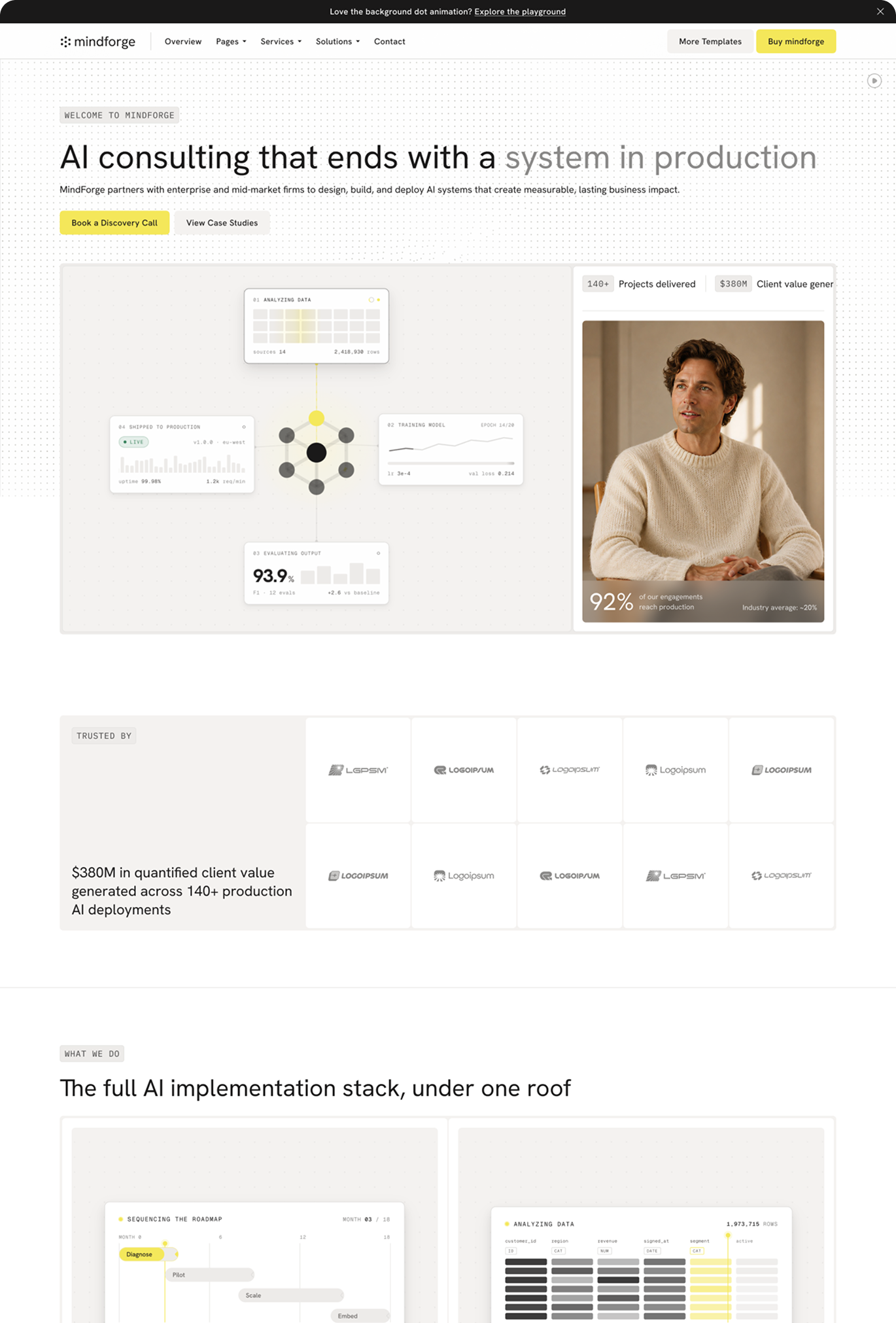
The objection most small business owners have to Webflow is the learning curve. This objection is valid if you are building from scratch. It is much less valid if you start with a premium industry-specific template. A non-technical business owner using a Loonis template — with global style swatches, CMS-powered portfolio pages, and a professional design system already built in — needs to update content and brand colours, not learn web development.
The Webflow template path, specifically:
A premium Webflow template from a specialist studio costs $169. Webflow CMS hosting runs $23/month. Total first-year cost: approximately $445 if you configure it yourself. With a done-for-you customisation service (Loonis Pro at $1,750, 5-day delivery), total first-year cost is under $2,000 — less than a year of a managed WordPress site with developer support, and significantly less than a Squarespace Business plan with a freelancer configuring it professionally.
For the specific business types where Webflow wins clearly: consulting firms, financial advisory practices, SaaS companies, VC and PE firms, healthcare and biotech organisations, construction companies, and any B2B service business where the website is reviewed by buyers who evaluate digital credibility as a signal of operational quality.
Which website builder should you choose?
The decision is simpler than most guides make it:
Choose Wix if you need to be online in a day and your website is not your primary sales tool.
Choose Squarespace if you are a creative professional or your business leads with visual identity and you want an all-in-one platform.
Choose WordPress if you are running a large content operation, need complex e-commerce, or have developer resources available.
Choose Webflow via a premium template if you are a B2B service business, professional services firm, SaaS company, or any business where the website is evaluated by sophisticated buyers and design quality directly influences whether you get the call.
The one question that simplifies this decision: is your website the thing that wins or loses you business before the first conversation? If yes, Webflow via a premium industry template is the right answer — the output quality is simply higher than what Wix or Squarespace deliver for B2B professional contexts, and the done-for-you path makes the learning curve irrelevant.
Not sure which template fits your specific business type? The Loonis Launch Plan Builder matches your business to the right template in under 3 minutes. Or browse the full template range by industry.
In summary
- Wix wins on setup speed for businesses that need a basic web presence quickly.
- Squarespace wins on visual quality out of the box for creative and lifestyle businesses.
- WordPress wins on power and flexibility for large content operations and complex e-commerce.
- Webflow via a premium industry template wins for B2B professional services businesses where design quality influences commercial outcomes.
- The done-for-you path (Loonis template + Pro customisation at $1,750, 5-day delivery) removes Webflow's only real barrier — the setup learning curve — and delivers a professional site for under $2,000 total in year one.




%20(1).png)